
For parents and teens 13–17
Know they're OK, without tracking them.
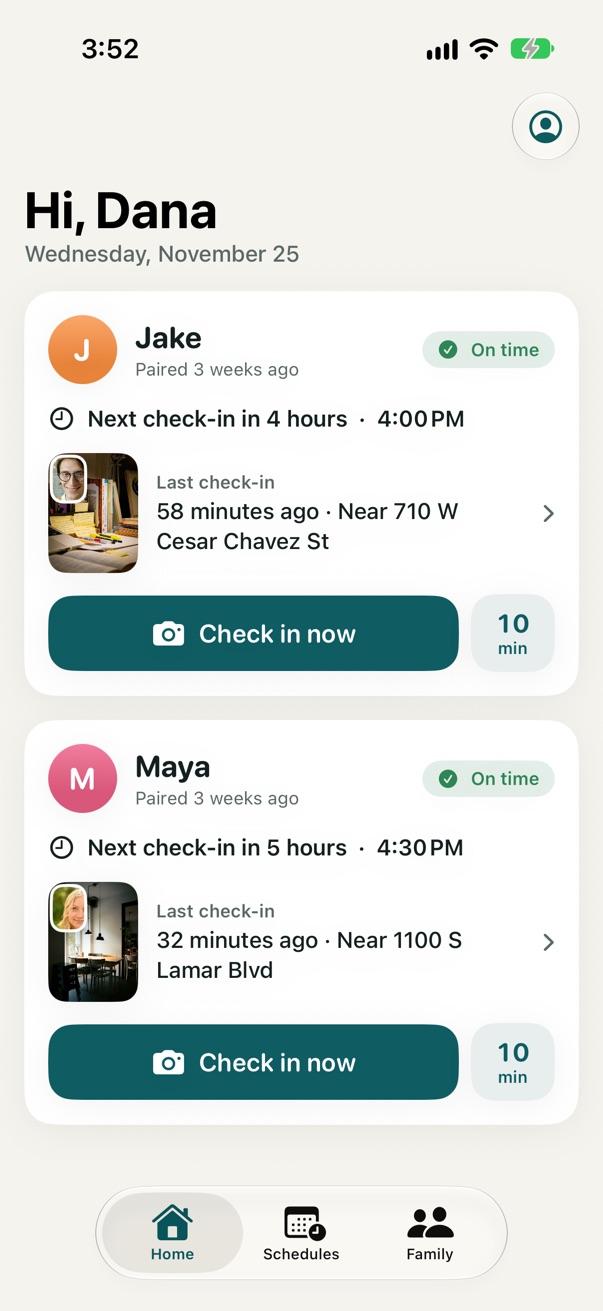
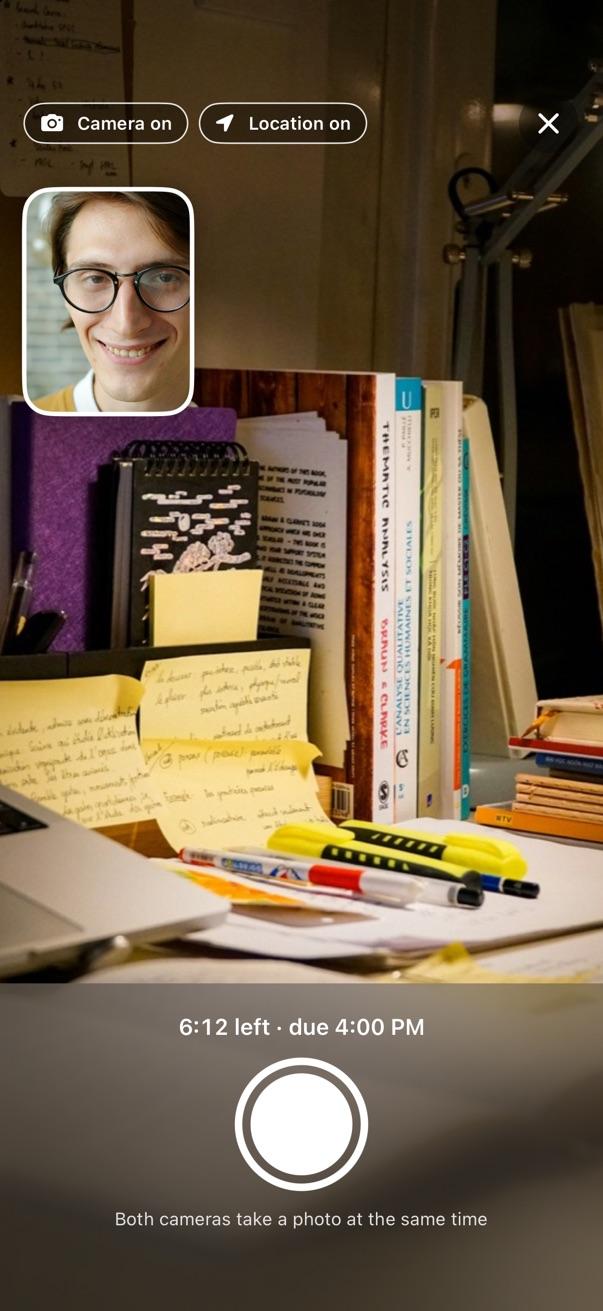
Set check-in times. When one comes up, your teen taps once and both cameras take a photo, along with where they are right then. Nothing is shared in between.
How it works
Three steps, about ten seconds for your teen.
Set a schedule
Every hour from 3 to 6 on school days, once at 10 on a Saturday night, or tap Check in now any time. You choose how long they have to respond.
Your teen checks in
They get a notification, open the app and tap once. The front and back cameras take a photo at the same moment, with one location fix.
You see it, or you hear about it
The check-in appears on your home screen right away. If one is missed, you get an alert, so you know when to call.
Keeping in touch, not spying
Check-ins work because your teen knows exactly what's shared and when. We built the app so there's nothing to hide.
Location only at check-in
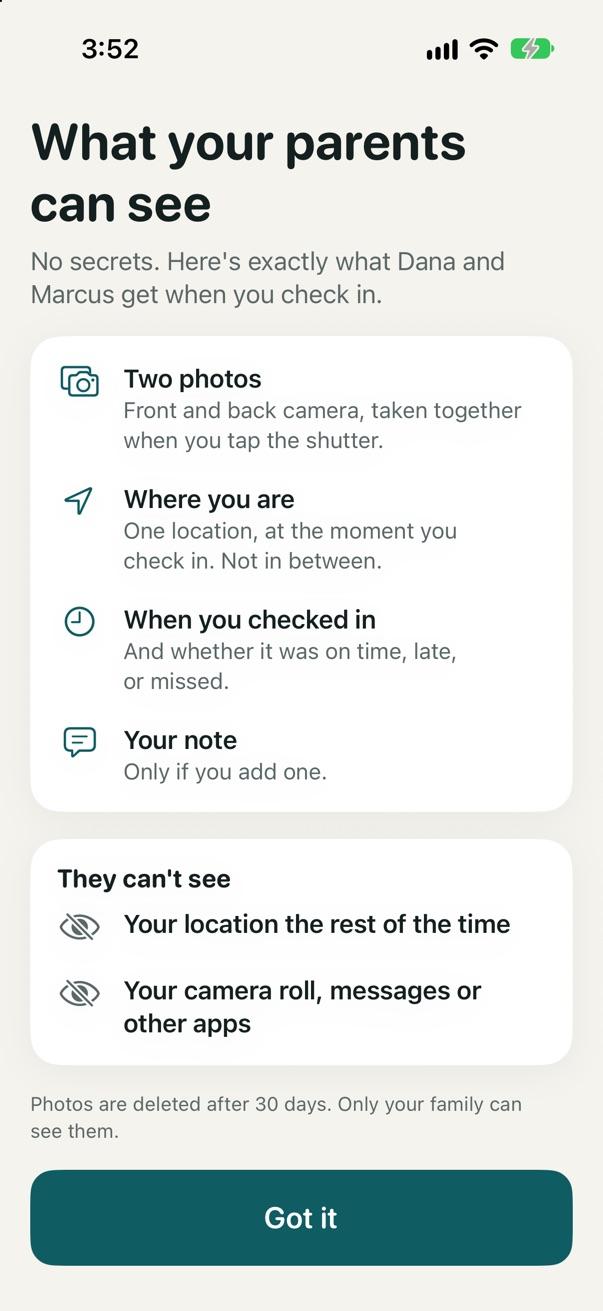
One location, at the moment your teen taps the shutter. Never in the background, never in between.
Your teen sees what you see
Before their first check-in, your teen gets a plain list of exactly what you'll see, and what you won't.
Camera only, and only on tap
The app takes photos only when your teen presses the shutter. It can't open their camera roll, messages or other apps.
Gone after 30 days
Photos and check-ins are deleted automatically after 30 days. Delete a teen or your whole family any time.
No ads, no tracking, no selling
There are no ads or analytics in the app, and we never sell or share your family's data.
Private notifications
Lock-screen alerts say “Time to check in” or “Jake missed a check-in.” They never show photos or places.
The details matter
Both parents
Invite another parent or guardian. Each chooses their own alerts and quiet hours.
Missed and late alerts
Hear about a missed check-in right away, and again if it arrives late.
Works with a bad signal
A check-in taken on time is saved on the phone and sent as soon as there's a connection.
Phone health
If your teen's phone stops answering or notifications get turned off, you'll know.
A note and a reaction
Your teen can add a short note. You can send back a ❤️ or 👍.
Two minutes to set up
Make a family, add your teen, and scan one code on their phone. No email needed for your teen.
Teenage Check In isn't an emergency or safety service. Notifications can be delayed or blocked by things outside our control, like a dead battery or no signal. In an emergency, call 911.
Free for families
Questions first? The FAQ covers what teens can and can't do, who sees the photos, and how long they're kept.